在 Easysearch 中,索引别名(Index Alias) 是一种逻辑名称,它可以指向一个或多个真实索引。
让应用层无需感知底层索引名变化;
方便进行索引切换、版本升级和数据迁移;
支持查询、写入、过滤、路由等控制;
实现读写分离或权限隔离。别名是索引的抽象层 ,就像数据库中的“视图(View)”或操作系统中的“符号链接(symlink)”。
创建索引别名 别名可以在创建索引时定义,也可以在已有索引上添加。
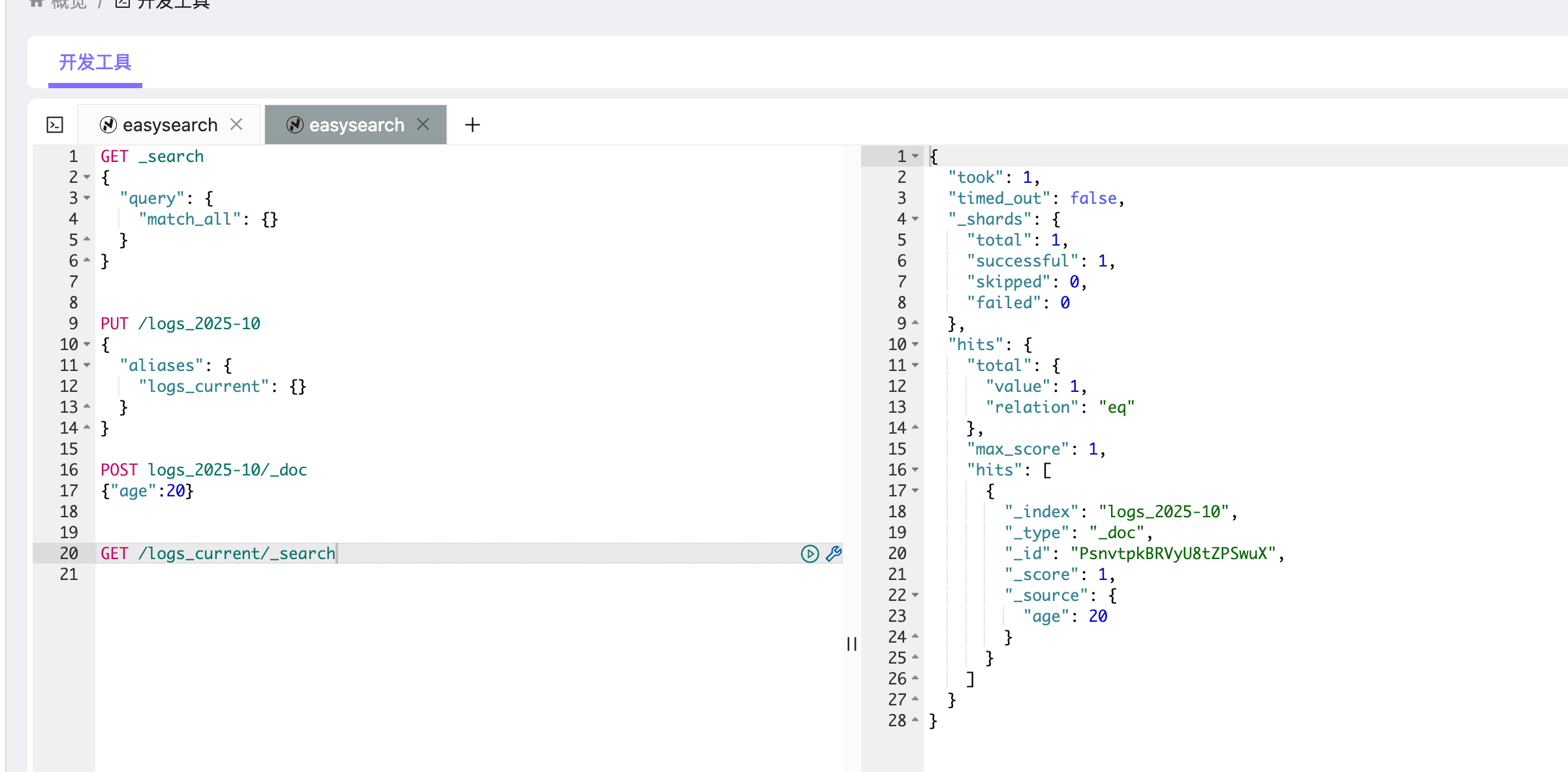
在创建索引时定义别名 1 2 3 4 5 6 PUT /logs_2025-10 { "aliases" : { "logs_current" : {} } }
该操作创建索引 logs_2025-10,并同时定义一个别名 logs_current。
之后,所有针对 logs_current 的查询都会路由到 logs_2025-10:
1 2 3 4 5 POST logs_2025-10/_doc {"age" :20} GET /logs_current/_search
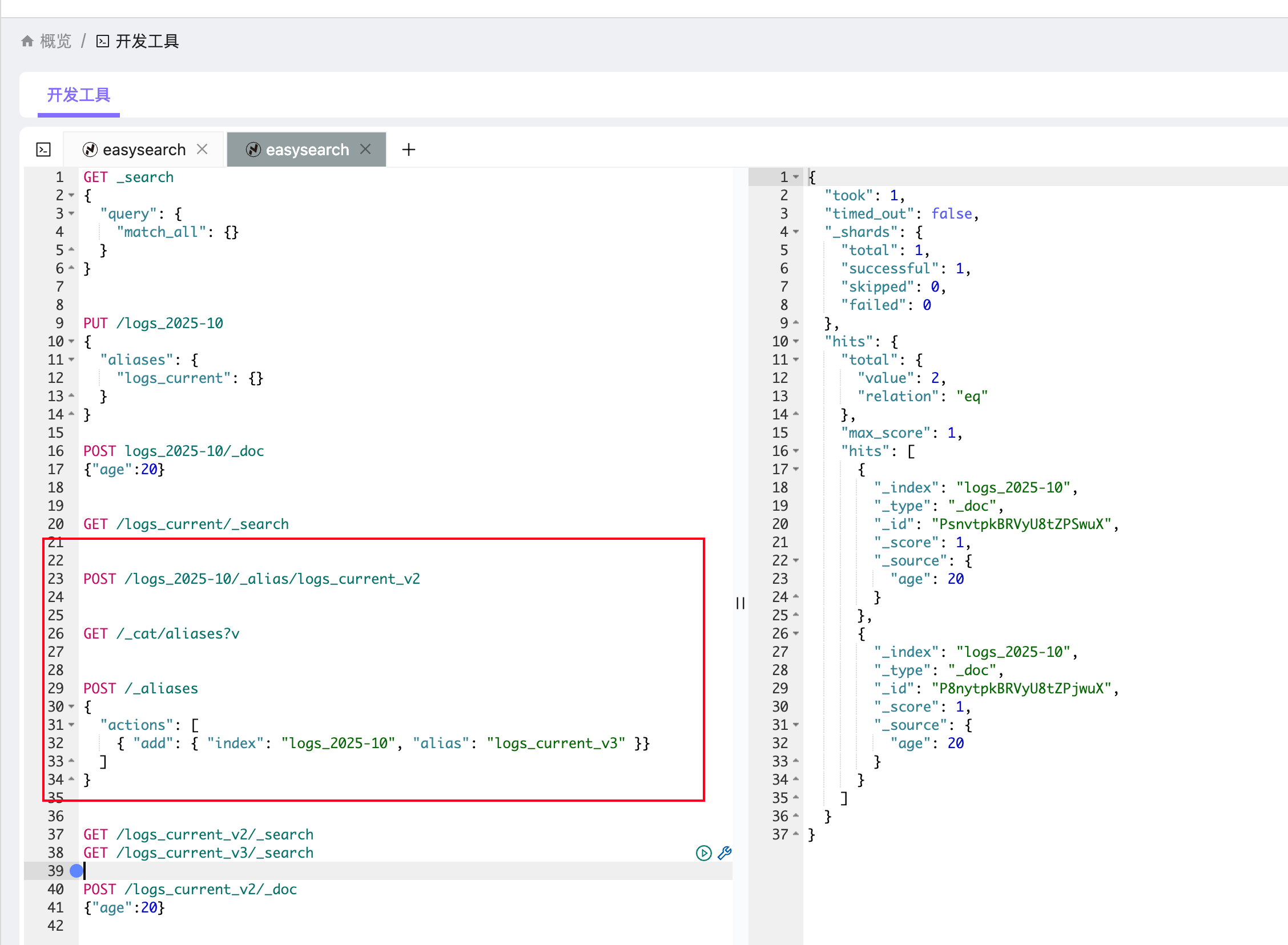
给现有索引添加别名 1 POST /logs_2025-10/_alias/logs_current_v2
或者使用 _aliases 批量操作:
1 2 3 4 5 6 POST /_aliases { "actions" : [ { "add" : { "index" : "logs_2025-10" , "alias" : "logs_current_v3" }} ] }
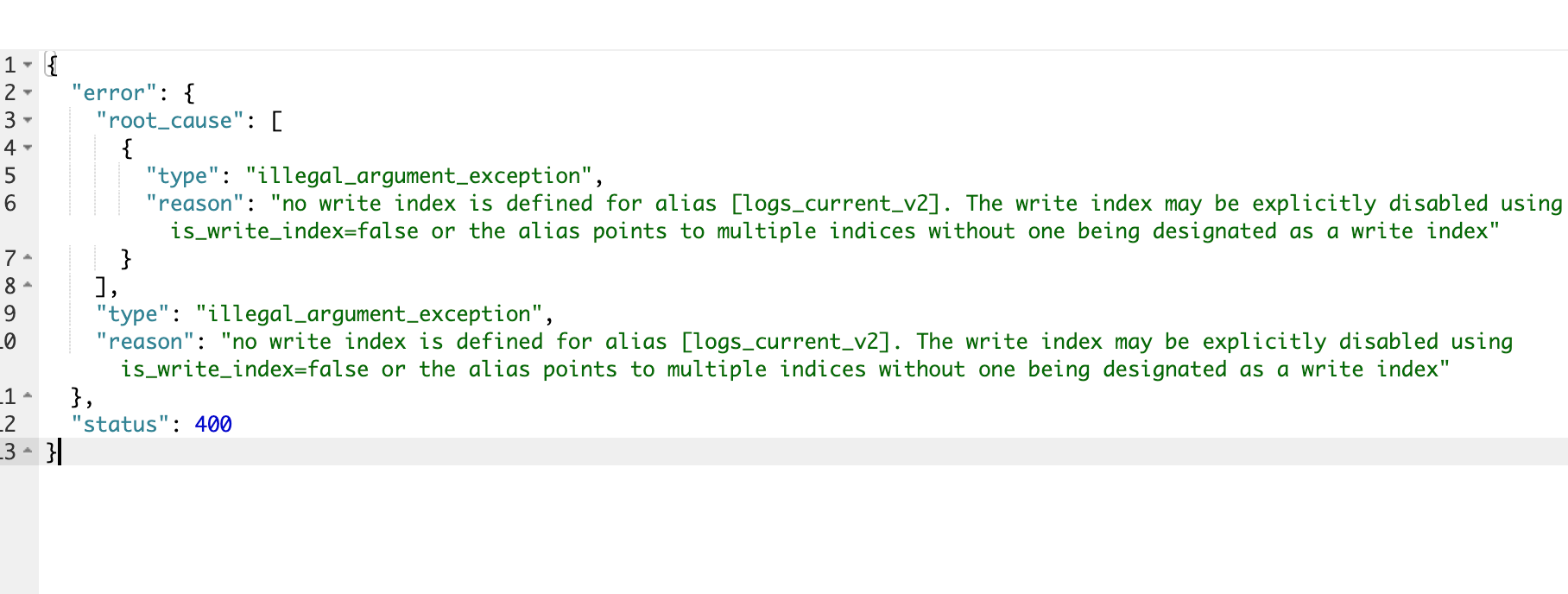
查询与写入的区别 默认情况下,别名仅支持查询 。POST /alias/_doc)操作会报错。
1 2 3 4 5 6 7 8 9 10 11 12 13 { "error" : { "root_cause" : [ { "type" : "illegal_argument_exception" , "reason" : "no write index is defined for alias [logs_current_v2]. The write index may be explicitly disabled using is_write_index=false or the alias points to multiple indices without one being designated as a write index" } ] , "type" : "illegal_argument_exception" , "reason" : "no write index is defined for alias [logs_current_v2]. The write index may be explicitly disabled using is_write_index=false or the alias points to multiple indices without one being designated as a write index" } , "status" : 400 }
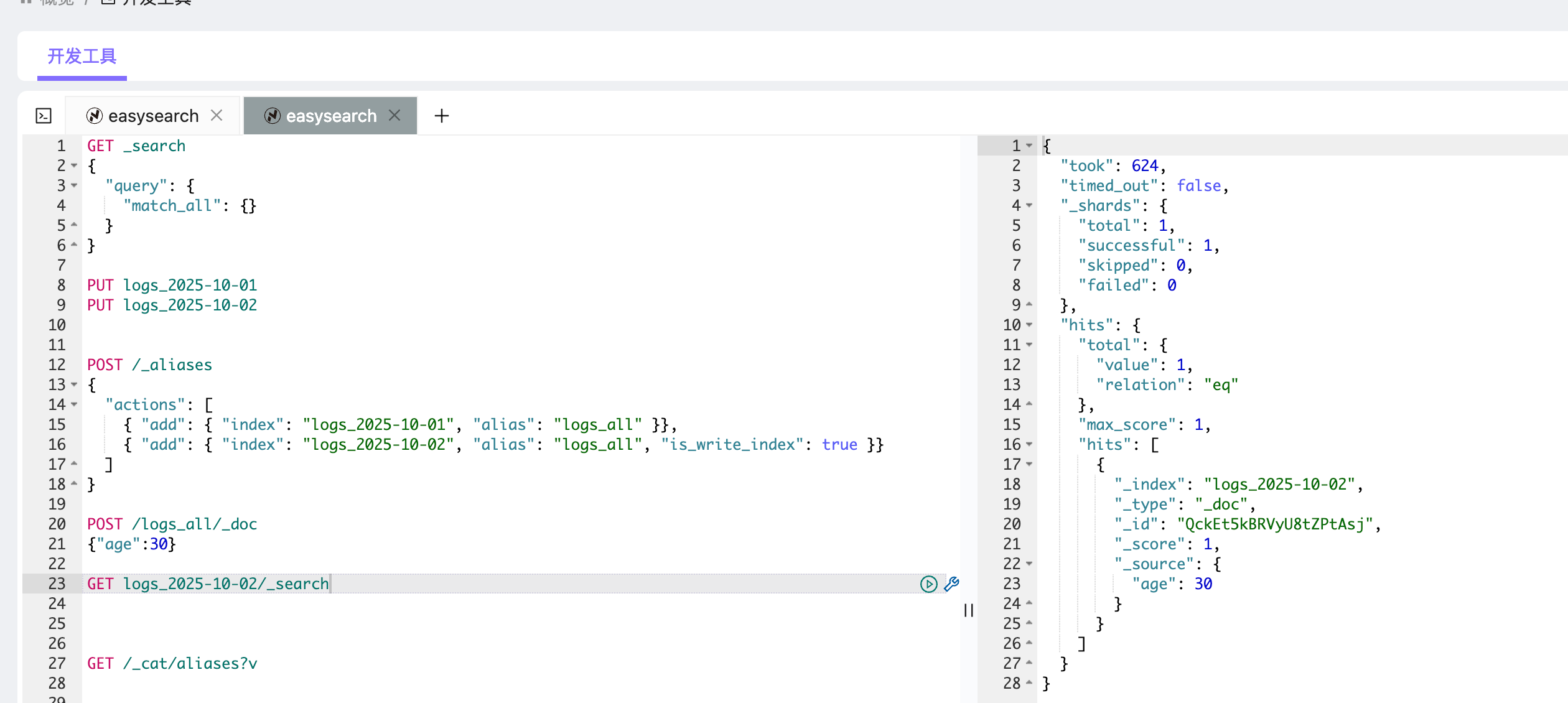
为了解决这一问题,可以通过 is_write_index 参数指定某个索引作为写入目标。
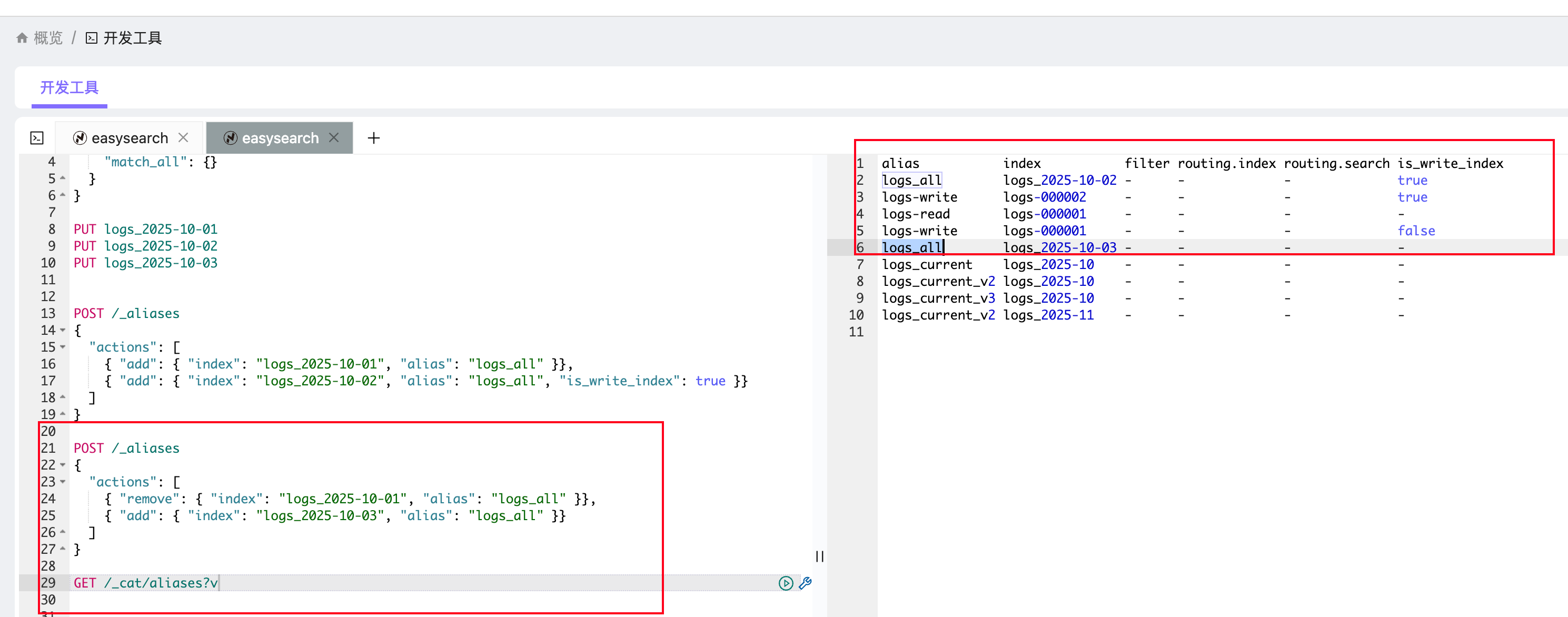
1 2 3 4 5 6 7 POST /_aliases { "actions" : [ { "add" : { "index" : "logs_2025-10-01" , "alias" : "logs_all" }}, { "add" : { "index" : "logs_2025-10-02" , "alias" : "logs_all" , "is_write_index" : true }} ] }
此时:
查询 GET /logs_all/_search 会同时检索两个索引;
写入 POST /logs_all/_doc 时,数据会写入 logs_2025-10。
动态切换索引(零停机升级) 别名的最大优势之一是实现索引的无缝切换 。
例如,应用程序始终通过 logs_all 查询数据,而底层实际索引会按天数变化。
切换示例:
1 2 3 4 5 6 7 POST /_aliases { "actions" : [ { "remove" : { "index" : "logs_2025-10-01" , "alias" : "logs_all" }}, { "add" : { "index" : "logs_2025-10-03" , "alias" : "logs_all" }} ] }
这里我移除了 logs_2025-10-01,然后添加了 logs_2025-10-03。
可以使用GET /_cat/aliases?v查看。
过滤别名(Filtered Alias) 别名还可以定义过滤条件,控制用户只能看到部分数据。数据分区视图或权限隔离 的常见方式。
它展示如何让一个别名只返回 region=china 的文档,而不暴露其他地区的数据。
1. 创建一个示例索引并插入数据 1 2 3 4 5 6 7 8 9 10 11 12 13 14 15 16 17 18 19 20 PUT /transactions { "mappings" : { "properties" : { "region" : { "type" : "keyword" }, "user" : { "type" : "keyword" }, "amount" : { "type" : "float" } } } } POST /transactions/_bulk { "index" : { "_id" : 1 } } { "region" : "china" , "user" : "alice" , "amount" : 100.0 } { "index" : { "_id" : 2 } } { "region" : "usa" , "user" : "bob" , "amount" : 200.0 } { "index" : { "_id" : 3 } } { "region" : "china" , "user" : "cindy" , "amount" : 150.0 } { "index" : { "_id" : 4 } } { "region" : "japan" , "user" : "daisuke" , "amount" : 300.0 }
刷新索引:
1 POST /transactions/_refresh
创建过滤别名 定义一个只允许访问中国区数据的别名:
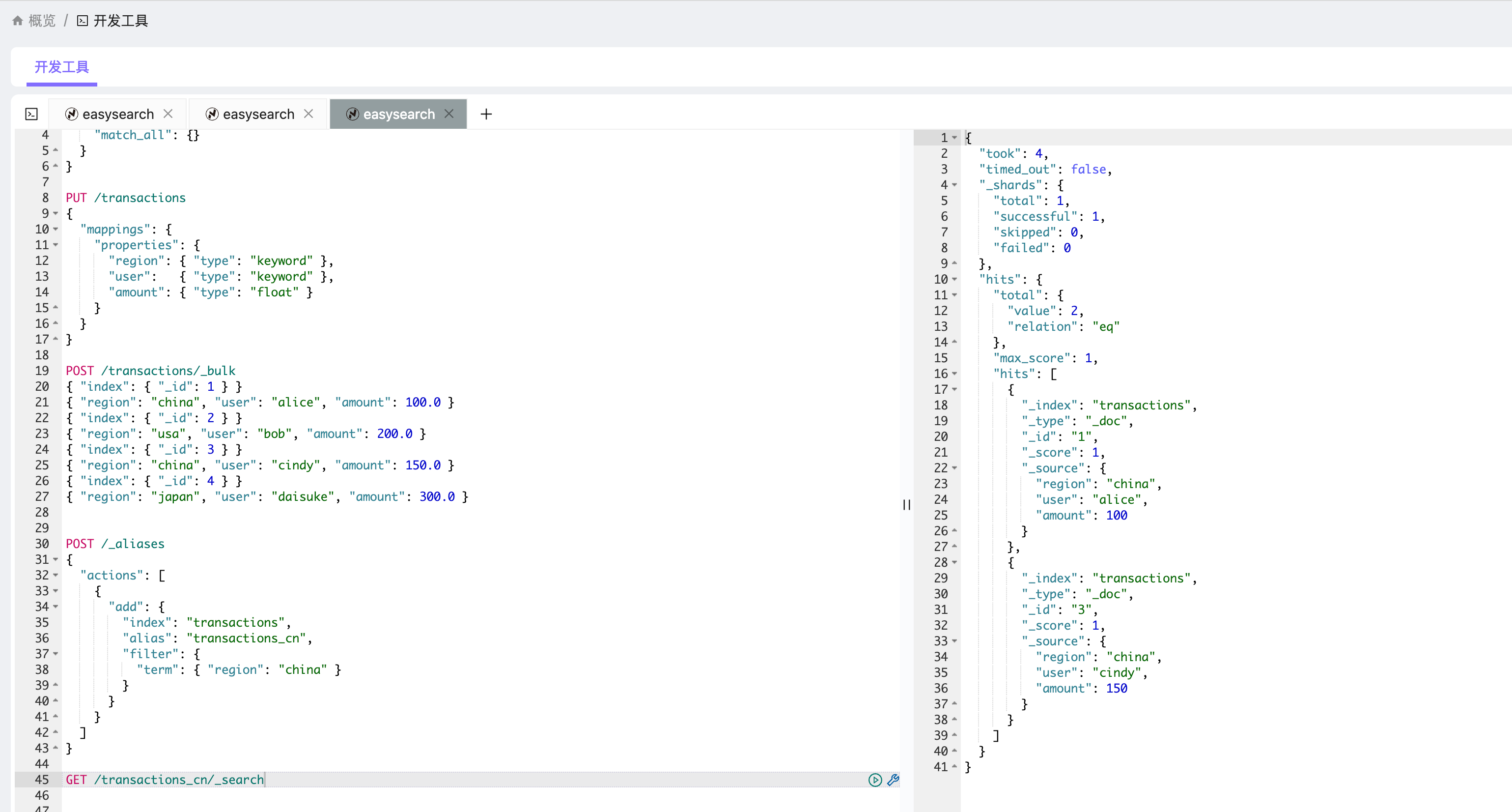
1 2 3 4 5 6 7 8 9 10 11 12 13 14 POST /_aliases { "actions" : [ { "add" : { "index" : "transactions" , "alias" : "transactions_cn" , "filter" : { "term" : { "region" : "china" } } } } ] }
使用过滤别名查询 1 GET /transactions_cn/_search
返回结果类似:
1 2 3 4 5 6 7 8 9 10 11 12 13 14 { "hits" : { "hits" : [ { "_id" : "1" , "_source" : { "region" : "china" , "user" : "alice" , "amount" : 100.0 } } , { "_id" : "3" , "_source" : { "region" : "china" , "user" : "cindy" , "amount" : 150.0 } } ] } }
可以看到:
来自 usa 和 japan 的记录不会出现在结果中;
别名层面自动做了过滤;
应用层调用时完全不需要在查询语句中加 term 条件。
路由别名(Routing Alias) Elasticsearch 的数据分片(sharding)是通过一个公式决定的:
1 shard = hash(routing) % number_of_primary_shards
默认情况下,routing = _id
但如果你有多租户、分国家、分部门的场景,可以用业务逻辑字段当作 routing。
routing 相同的数据会落在同一个分片上,提高写入和查询的性能。
因此:
把别名和 routing 绑定起来,可以实现“逻辑分区 + 性能优化 + 查询隔离”。
下面通过一个完整的数据例子演示。
创建索引 1 2 3 4 5 6 7 8 9 10 11 12 13 14 PUT users { "settings" : { "number_of_shards" : 4, "number_of_replicas" : 0 }, "mappings" : { "properties" : { "name" : { "type" : "keyword" }, "country" : { "type" : "keyword" }, "age" : { "type" : "integer" } } } }
创建带 routing 的别名 1 2 3 4 5 6 7 8 9 10 11 12 13 14 15 16 17 18 19 POST /_aliases { "actions" : [ { "add" : { "index" : "users" , "alias" : "users_cn" , "routing" : "china" } }, { "add" : { "index" : "users" , "alias" : "users_us" , "routing" : "usa" } } ] }
✅ 我们现在有两个逻辑视图:
Alias
Routing
用途
users_cn"china"代表中国用户
users_us"usa"代表美国用户
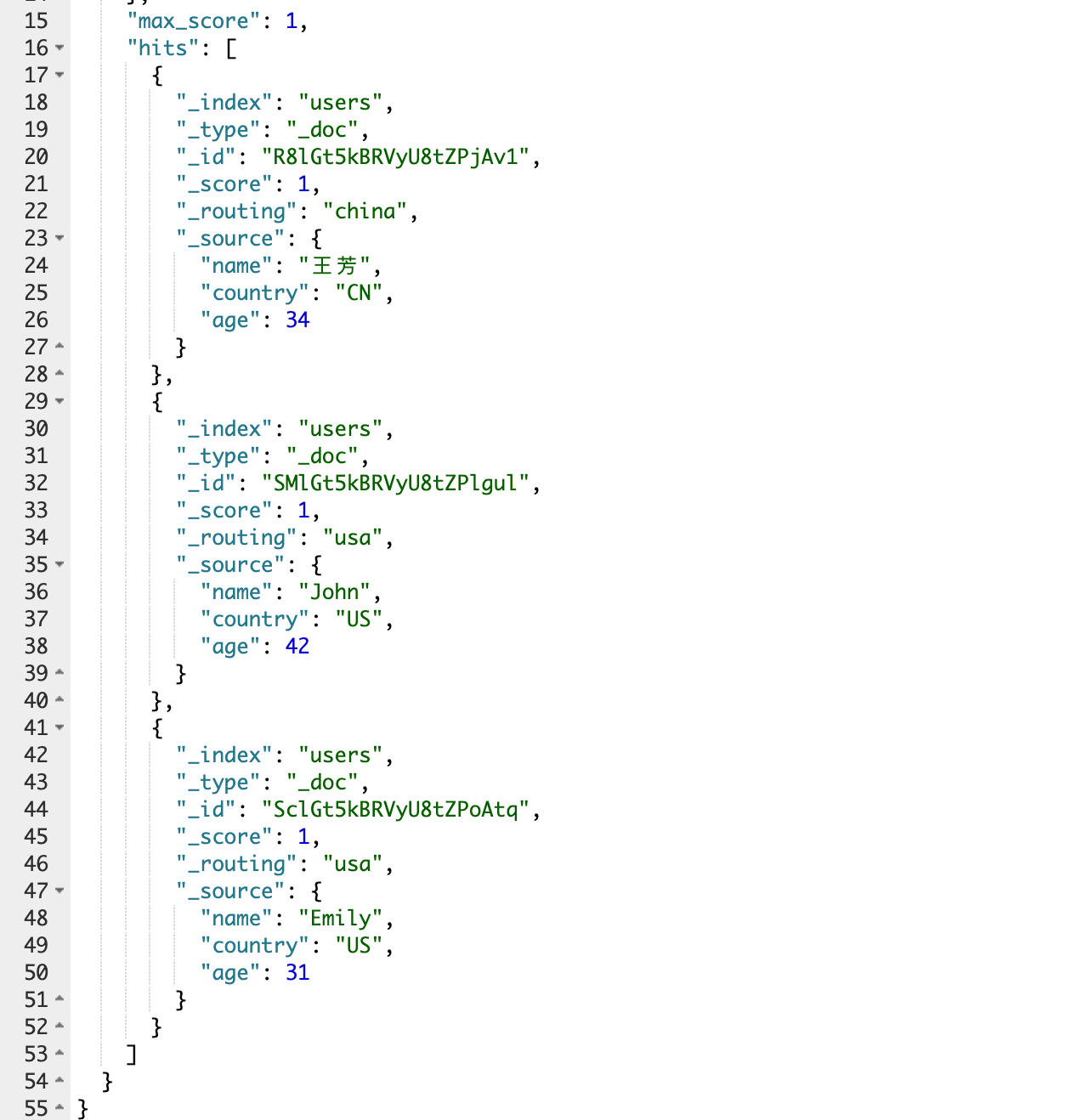
通过别名写入数据 1 2 3 4 5 6 7 8 9 10 11 12 13 14 15 16 17 18 19 20 21 22 23 24 25 26 27 POST users_cn/_doc { "name" : "张伟" , "country" : "CN" , "age" : 29 } POST users_cn/_doc { "name" : "王芳" , "country" : "CN" , "age" : 34 } POST users_us/_doc { "name" : "John" , "country" : "US" , "age" : 42 } POST users_us/_doc { "name" : "Emily" , "country" : "US" , "age" : 31 }
✅ 实际都写入到同一个物理索引 users,
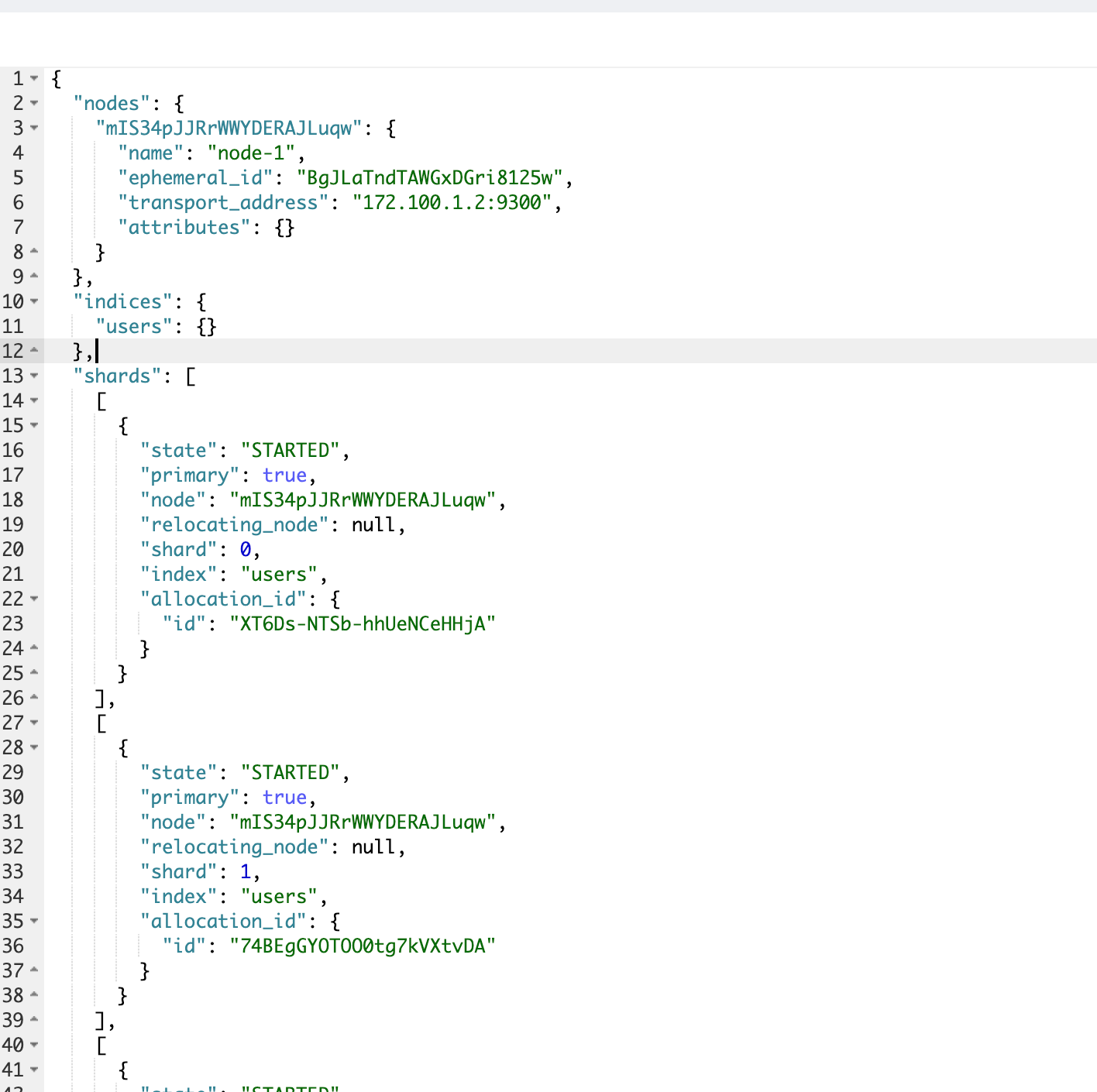
4️⃣ 验证分片路由情况 1 GET users /_search_shards
返回示例:
1 2 3 4 5 6 7 8 9 10 11 12 13 14 15 16 17 18 19 20 21 22 23 24 25 26 27 28 29 30 31 32 33 34 35 36 37 38 39 40 41 42 43 44 45 46 47 48 49 50 51 52 53 54 55 56 57 58 59 60 61 62 63 64 65 66 67 { "nodes" : { "mIS34pJJRrWWYDERAJLuqw" : { "name" : "node-1" , "ephemeral_id" : "BgJLaTndTAWGxDGri8125w" , "transport_address" : "172.100.1.2:9300" , "attributes" : { } } } , "indices" : { "users" : { } } , "shards" : [ [ { "state" : "STARTED" , "primary" : true , "node" : "mIS34pJJRrWWYDERAJLuqw" , "relocating_node" : null , "shard" : 0 , "index" : "users" , "allocation_id" : { "id" : "XT6Ds-NTSb-hhUeNCeHHjA" } } ] , [ { "state" : "STARTED" , "primary" : true , "node" : "mIS34pJJRrWWYDERAJLuqw" , "relocating_node" : null , "shard" : 1 , "index" : "users" , "allocation_id" : { "id" : "74BEgGYOTOO0tg7kVXtvDA" } } ] , [ { "state" : "STARTED" , "primary" : true , "node" : "mIS34pJJRrWWYDERAJLuqw" , "relocating_node" : null , "shard" : 2 , "index" : "users" , "allocation_id" : { "id" : "9hdcuoz5TbWql3kipudCxA" } } ] , [ { "state" : "STARTED" , "primary" : true , "node" : "mIS34pJJRrWWYDERAJLuqw" , "relocating_node" : null , "shard" : 3 , "index" : "users" , "allocation_id" : { "id" : "h0esaYy8QJmvfiGLjn3Zwg" } } ] ] }
查询数据 查询中国区用户: 输出:
1
2
3
4
5
6
7
8
9
{ "hits" : { "total" : 2 , "hits" : [ { "_source" : { "name" : "张伟" , "age" : 29 } } , { "_source" : { "name" : "王芳" , "age" : 34 } } ] } }
查询美国区用户: 输出:
1
2
3
4
5
6
7
8
9
{ "hits" : { "total" : 2 , "hits" : [ { "_source" : { "name" : "John" , "age" : 42 } } , { "_source" : { "name" : "Emily" , "age" : 31 } } ] } }
如果直接查物理索引 返回所有 4 条记录,因为没带 routing。
再加一个过滤型 alias(可选) 1 2 3 4 5 6 7 8 9 10 11 12 POST /_aliases { "actions" : [ { "add" : { "index" : "users" , "alias" : "users_adults" , "filter" : { "range" : { "age" : { "gte" : 30 } } } } } ] }
然后查询:
1 GET users_adults/_search
→ 只返回 王芳(34 岁)和 John(42 岁)和 Emily(31 岁)。
场景
routing 带来的好处
写入
相同 routing 的文档总是写入同一分片,减少 shard 跳转
查询
查询时只访问一个 shard,速度可提升数倍
多租户
每个租户 routing 不同,实现物理隔离
地域分区
中国区、美国区等逻辑分区共享同一个索引
查看与删除别名 查看当前集群中所有别名:
输出结果:
1
2
3
alias index filter routing.index routing.search is_write_index logs_current logs_2025-10 - - - - logs_all logs_2025-10 - - - true
删除别名:
1 DELETE /logs_2025-10/_alias/logs_current
或:
1
2
3
4
5
6
POST /_aliases { "actions" : [ { "remove" : { "index" : "logs_2025-10" , "alias" : "logs_current" }} ] }
总结 Easysearch 的索引别名是一个轻量、强大且几乎“零成本”的机制,它在索引生命周期管理中起着核心作用。
合理使用别名,可以实现:
热切换(零停机索引迁移);
分片控制(按租户或地理位置隔离);
安全访问(按条件过滤可见数据);
持续演进(读写分离 + 版本平滑过渡)。
对于任何生产环境的 Easysearch 集群来说,别名是不可或缺的基础能力 。